
"Almost Daily Health Tips From Our Osteopath Team"
Use the Form Below to Get Them All Sent to You for FREE
5 Ergonomic Tips for a Productive Home Office
Looking for some ergonomic tips to help you stay productive and comfortable in your home office? Are you constantly feeling minor aches and pains while you are trying to get through your reports? You might need to take a look at how you’ve set up your home office, and see if there’s room for improvement.
Working from home offers a plethora of perks – flexible hours, avoiding the commute, and maybe even working in your pyjamas (we won’t tell!). But for all its benefits, a home office can also wreak havoc on your body if your work space ergonomics aren’t considered.
Without wasting any more time, let’s dive straight into it. Here are some key tips to transform your workspace into a haven for productivity and pain-free posture.
Find Your Throne With The Perfect Chair
The foundation of your comfort is your chair. Ideally, it should offer lower back support. Look for a chair with built-in lumbar support, or consider adding a lumbar cushion. You will also need something with an adjustable height to ensure your feet rest flat on the floor with knees bent at a 90-degree angle.
Adjustable armrests that support your elbows roughly just below or inline with the level of the desk are ideal. It will go a long way to helping your wrists and shoulders out, when you have to sit for longer periods of time.
When it Comes to Desks, Height Matters
Your desk height should allow your forearms to be parallel to the floor while typing. If your desk isn’t adjustable, then your chair will need to be instead. Always make sure that your forearms are a comfortable distance from your keyboard, and your head is at a suitable distance from your monitor.
You need to make sure that the height is suitable for your neck. You don’t want to be sitting there for hours on end with your head hunched over a keyboard. For this reason you should consider a standing desk converter that can raise your monitor.
Get a Handle on Your Peripherals
Your keyboard and mouse should keep your wrists straight and neutral. A wrist rest can add comfort while you are using a mouse. It’s also a good idea to choose a mouse that fits your hand comfortably. There are hundreds of ergonomic designs that increase comfort while reducing strain on the joints in your hand.
The ideal monitor position is slightly below eye level, at arm’s length. This reduces neck strain and keeps your eyes healthy. As previously mentioned you can also get adjustable desks and monitors to get the perfect height for your working environment.
Sitting for extended periods is asking for trouble when it comes to aches and pains. That’s why you should also set a timer to get up and move around every 30 minutes. Take short walks, stretch, or do some simple desk exercises.
Lighting to Banish the Shadows
Proper lighting reduces eye strain. That means you don’t want to find yourself squinting to see while you are working. Many people have developed the bad habit of working in the dark, simply because their screen provides the light, but that ends up damaging your eyes in the long run.
Opt for natural light whenever possible and avoid glare on your screen. As far as lighting goes, you may even be able to find some LED lamps that actually simulate natural light so that it’s easier on the eye while you are working.
Some More Ergonomic Tips for Comfort
If your chair doesn’t offer good leg support, a footrest can elevate your comfort. Supportive accessories like a lumbar roll or neck pillow for added comfort. Remember, an ergonomic home office is an investment in your health and well-being. By following these tips, you can create a workspace that keeps you comfortable, productive, and pain-free throughout your workday.
Make it a habit to check your posture throughout the day. Sit tall, with your shoulders relaxed and ears aligned with your shoulders. By implementing these simple ergonomic practices, you can transform your home office into a haven for productivity and well-being.
Don’t wait for discomfort to strike – take charge of your workspace
The head honcho is held up by the neck and shoulders. Two places that often lead to aches and pains, and especially headaches. When you find that you are experiencing some tightness or burning sensation in the muscles, you can try chin tucks or shoulder shrugs.
To do a Chin tuck, simply maintain a neutral head position and then bend your head gently forward until your chin reaches your chest. Remember to avoid craning your neck forward to see the screen, and remember to always adjust your monitors.
To start a shoulder shrug, relax your shoulders. Then slowly roll your shoulders forward, up and then back down to a resting position. Remember that resting for too long on the elbows and shrugging them up towards your ears throughout the day can lead to tension headaches.
Understand the Spinal Support System
Maintaining the perfect posture isn’t always easy. It requires constant awareness to help you recognise when you are slouching. Aim for a tall spine with a slight curve in your lower back and avoid slouching or hunching over your desk.
Your back is essentially in the neutral zone when you keep your spine aligned throughout its natural curves. Excessive arching or rounding of your back, can lead to serious problems later on in life, so make sure you keep your spine in good shape.
Thighs, Knees, and Ankles at Rest
Your thighs should rest comfortably on your chair seat. Avoid excessive pressure under the backs of your knees, and if you can remember to do so, you should always keep both feet flat on the ground.
Aim for a 90-degree angle at your knees with your feet flat on the floor. If your chair is too high, consider a footrest, or get an adjustable chair. Having your feet flat will allow your lower back to remain upright without causing any strain.
The Arms Reach Rule
The arm’s reach rule means that you position your monitor at an arm’s length away from your eyes. This helps prevent eye strain and fatigue, and it means your head won’t be tilted at the wrong angle.
If you are going to be spending long hours at your desk, then you need to make sure you remember to look away from the screen. The 20-20-20 rule is an easy way to remember that you shouldn’t be staring at your screen for too long. Every 20 minutes, look away from your screen for 20 seconds at something 20 feet away.
This will help relax your eye muscles and refocus your vision. You see, it’s not just about the ergonomics of where you are working, but also HOW you are working.
An Osteopath Can Be Your Ergonomic Ally
Sitting at a desk all day can wreak havoc on your body. Tightness in your shoulders, neck pain, and lower back woes – these are all common battle cries of the office warrior. But before you resign yourself to a life of pain medication and ergonomic gadgets, consider the unique approach of an osteopath.
Osteopathy takes a holistic approach to pain management. The body is viewed as a connected system, where dysfunction in one area can ripple outwards, causing pain elsewhere.
A thorough examination needs to be performed and usually includes assessing your posture, joint mobility, and muscle tightness. In order to identify the underlying cause they have to go beyond the pain itself to try to pinpoint the root cause.
Osteopaths can use manual techniques with gentle manipulations and stretches to improve joint mobility, ease muscle tension, and promote better posture.
Ergonomic Tips Beyond the Desk
An osteopath’s role goes beyond simply treating the pain. They can also offer valuable insights into your work environment, like looking at your workstation setup They can analyse your desk setup, chair ergonomics, and monitor placement, identifying areas that may be contributing to your discomfort.
They can give you personalised ergonomic tips based on your specific needs. They will also be able to give you stretching and exercise guidance, where they teach you stretches and exercises to improve your core strength, flexibility, and posture, all of which can significantly reduce desk-related aches.
A Proactive Partnership for Pain-Free Productivity
Seeing an osteopath is an investment in your long-term well-being. It’s not just about treating pain; it’s about preventing it from recurring. By working with an osteopath, you can:
Improve your posture: Good posture reduces stress on your joints and muscles, leading to less pain and discomfort.
Increase your flexibility: Improved flexibility allows for a wider range of motion, making it easier to maintain good
posture throughout the day.
Boost your productivity: Less pain and discomfort translate to better focus and concentration, allowing you to be more
productive at work.
So, the next time desk-related aches threaten to derail your workday, consider consulting an osteopath. Their unique blend of manual therapy and ergonomic expertise can be the key to a pain-free and productive work life.
Ready to move better and live pain-free? Book an appointment with Osteoworks today.
Osteopathy Treatments in Brisbane
Select your area of pain to get clear answers and the right treatment.
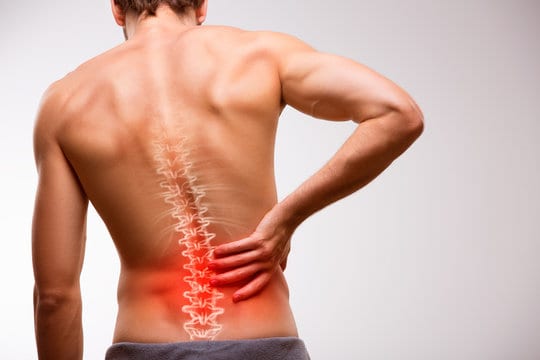
Back Pain Treatment
Lower back pain, sciatica, stiffness
[View Treatment]
Knee Pain Treatment
Injury, strain, instability
[View Treatment]

Neck & Shoulder Treatment
Stiffness, headaches, posture pain
[View Treatment]

Hip Pain Treatment
Walking pain, stiffness, groin pain
[View Treatment]

Comprehensive, Hands-On Care for Lasting Results
Osteopathy is a holistic approach to healthcare that focuses on diagnosing, treating, and preventing musculoskeletal problems. Unlike treatments that simply address symptoms, osteopaths work to identify and treat the root cause of your pain, helping you achieve long-term relief and better overall health. Whether you're dealing with chronic discomfort or a recent injury, an experienced Brisbane osteopath can provide personalised care tailored to your specific needs.
Osteopaths use a variety of hands-on techniques to improve mobility, reduce tension, and restore balance to your body. These include gentle stretching, massage, joint mobilisation, and manipulation. Each treatment is carefully designed based on a thorough assessment of your posture, movement patterns, and medical history. This comprehensive approach means that osteopathy can effectively address a wide range of conditions, from acute injuries to ongoing pain management.
Back pain is one of the most common reasons people seek osteopathic care. Whether it's lower back pain from sitting at a desk all day, a sports-related injury, or chronic stiffness, osteopaths have the skills to help. By releasing tight muscles, improving joint mobility, and addressing postural imbalances, treatment can significantly reduce pain and help you return to your normal activities. Many patients find that regular osteopathic sessions prevent back problems from returning.
Neck pain is another frequent complaint, often caused by poor posture, stress, or prolonged computer use. Osteopaths gently work on the neck, shoulders, and upper back to relieve tension, improve range of motion, and reduce headaches that often accompany neck problems. Treatment may also include advice on ergonomics and exercises to strengthen supporting muscles.
Hip pain can be particularly debilitating, affecting your ability to walk, sleep, and enjoy daily activities. Osteopaths assess not just the hip joint itself, but also the lower back, pelvis, and legs, as hip problems often stem from or contribute to issues in surrounding areas. By addressing the whole kinetic chain, osteopathic treatment can provide lasting relief and improve your overall mobility.
One of the key benefits of osteopathy is its focus on prevention. Rather than waiting for pain to return, your osteopath will work with you to identify factors that may be contributing to your problems. This might include postural habits, workplace ergonomics, exercise techniques, or lifestyle factors. You'll receive practical advice and exercises to help you maintain improvements between sessions and reduce the risk of future injury.
If you're in the Brisbane area, seeing a local practitioner offers significant advantages. A Brisbane osteopath understands the lifestyle factors common to the area—from active outdoor pursuits to commuter stress—and can provide relevant, practical advice. For residents in and around Kangaroo Point, convenient access to quality osteopathic care means you can easily fit treatment into your schedule, whether you need a single session for an acute issue or ongoing care for chronic conditions.
Our clinic provides a welcoming, professional environment where your health is our priority. We take the time to listen to your concerns, explain our findings, and involve you in your treatment plan. Many patients are surprised by how quickly they notice improvements and how much better they feel with regular care.
Don't let pain limit your life. Whether you're experiencing back pain, neck pain, hip pain, or any other musculoskeletal issue, osteopathy offers a safe, effective, drug-free approach to relief. With the right treatment and guidance, you can move better, feel stronger, and enjoy life more fully. Contact us today to book an appointment and discover how osteopathy can help you achieve lasting results.
Speak directly with an osteopath to ask questions
and understand your options before booking.
Call the team (07) 3217 3131
Recent Posts
 Best Sleeping Positions for Back and Neck Pain
 Warm-Up Routine to Prevent Lower Back Injury Before Exercise
 How to Set Up an Ergonomic Home Office (Osteopath-Approved)
Categories
ArthritisBack Pain
Chest Pain
Elbow Pain
Exercise
Flexibility
Foot pain
Hands
Headaches
Health Tips
Hip Pain
Knee Pain
Mindfulness
Neck & Shoulder Pain
Osteopathy
Osteoworks
Pain Management
Physical Therapy
Posture
Rest
Sleep
Sports Injuries
Stretches
Wellness